
Top AI Website Builders (2026): Honest, Non-Biased List


This article will hep you figure out which AI website builder is best for you. I’ve been testing these tools since before no code AI website/app builder were even terms people used.
Since 2021 I’ve tried all the usual stress tests: spending trackers, Airbnb style clones, dashboards, Notion marketplaces, multi page apps, and the random side projects that push these platforms to their limits.
Quite a few looked magical until I asked for something slightly unusual.
And the same questions always come up:
- Which software is best for my idea?
- Can I actually use this if I’m not technical?
- Is my idea too complex for AI?
This guide answers those questions plainly. So then, here are the seven best AI website builders in 2025, what they’re good at, where they struggle, and who they’re right for.
We built full websites and real working projects with each platform, not just quick demos. Landing pages, multi page apps, dashboards, Airbnb style listings, template marketplaces — the same stress tests across all tools, so the comparison stays fair.
No sponsorships, no affiliate pressure, and no paid rankings. Everything here comes from hands on use, rebuilds, and side by side testing across different complexity levels.
Our testing manifesto →My Summary: Best AI Website Builders
- Shipper, if you want a real website/app/business from one prompt.
- WordPress, if you want maximum website control and plugins.
- Replit, if you prefer coding with strong AI help.
- Relume, if you want fast, beautiful website structures.
- Lovable, if you want simple apps with an easy workflow.
What is an AI Website Builder?
An AI website builder is a tool that creates a website based on what you describe in plain language.
Instead of choosing templates or writing code, you tell the AI what you want and it generates the structure, design, and content for you.
Most of them also let you revise things just by asking. You can add pages, change sections, rewrite text, switch designs, or adjust colors without touching code or navigating complex editors. The AI handles the technical steps behind the scenes, so you can focus on the idea instead of the mechanics.
In short, it’s a faster, easier way to build a website, even if you’ve never built one before.
Are AI Website Builders Any Good?
Or Should You Learn To Build Manually?
Personally, when I first tried AI builders I honestly wasn’t sure if they were legit. So I started doing this little test: every time I had a new idea, I built it twice – once manually, once with AI.
Pretty quickly, a pattern showed up!!
For simple stuff like landing pages or small multi page sites, the AI version was done before I even finished planning the manual one. It wasn’t perfect, but it got me 80% there in minutes.
But when I tried something more unique or complex, I’d hit the limits. AI is great at starting fast, but it still struggles with unusual logic or very custom designs.
If you prefer the manual approach, that’s great! It’s a cool journey.
For that, I recommend Wix’s 10-step website building guide.
(non-paid feature, I honestly think they’re great).
So here’s the honest answer:
Sometimes AI builders are great for speed and prototyping. Manual skills matter when you need full control. The best approach is to use AI to get moving, then step in manually when your idea needs something specific.
What I Looked For in These AI Website Builders
I wasn’t interested in flashy demos or marketing pages. I cared about whether they could actually help me build something useful. So I focused on a few things that kept coming up in real projects:
- How fast they go from a prompt to a working site.
- How easy they feel for someone who isn’t technical.
- How well they handle changes when your idea shifts.
- How flexible they are once you want something a little custom.
- How much friction you hit before the thing actually looks good.
In practice, that meant recreating the same sites across all builders and seeing where things broke. Some tools made simple stuff feel effortless. Others needed an extra nudge or two to get things right. And a few surprised me by handling complex layouts that I expected them to struggle with.
I wasn’t trying to trick the tools or push them into weird edge cases. I just wanted to see what it feels like to use them the way a real founder would use them – quick ideas, fast edits, and lots of “wait, what if I change this?” moments.
Those tests told me way more than any feature list ever could.
Top AI Website Builders, Listed
Currently, these are the most loved AI website builders: Shipper, WordPress, Replit, Relume and Lovable.
I chose this list because of how easy it is to use them. It’s basically talking to an AI and letting it do 98% of the work for you.
Let’s check them out, one by one.
1. Shipper

Shipper is the first tool I’ve used where typing a prompt actually feels like the start of something real. Most AI builders give you a layout or a half-finished page. Shipper tries to build the whole thing: structure, design, copy, and even early ideas for how the site might work as an actual business.
I’d type a rough idea – something like “I want a marketplace for digital products” and it didn’t just generate a homepage. It built the whole foundation with landing page sections, an onboarding flow, dashboards, listings, and even optional pages I hadn’t mentioned yet. And then it started suggesting ways to improve things, like clearer CTAs, cleaner layouts, or even angles for reaching the first users.
It never feels like you’re fighting the tool. If you don’t know what an API or a webhook is, it explains it in plain language. If you want to change a section, you just say what you want and it reshapes everything around that. It’s the closest I’ve seen to having a patient designer and developer sitting next to you, guiding you without overwhelming you.
If your goal is to turn a single prompt into a site that already feels like a small product or business, Shipper is the one that leans into that vision the most.
Pros of Shipper
- Builds full websites and product structures from one prompt, not just pages.
- Gives smart suggestions for design, layout, positioning, and early marketing.
- Extremely easy for non technical users. No jargon, no confusion.
- Handles all the technical pieces behind the scenes so you can focus on the idea.
- Iteration is effortless – you just tell it what to adjust.
Cons of Shipper
- Because it thinks ahead, it sometimes feels “more opinionated” than other builders.
- Advanced developers might want more manual control.
- New features ship fast, so things evolve quickly.
What to build if you go with Shipper:
| Website Idea | Why It Works Well in Shipper |
|---|---|
| Digital product marketplace | Shipper handles listings, dashboards, payments, and onboarding automatically. |
| Personal brand website | Clean layouts, strong hero sections, and built in copy suggestions. |
| SaaS landing page | Generates conversions focused layouts and helps shape your product story. |
| Client portal | Built in auth, dashboards, and private pages make it easy to set up. |
| Service booking site | Shipper creates calendars, forms, and flows without extra setup. |
| Online course site | Creates lessons, modules, progress pages, and sales pages. |
| Template store | Great for catalog style layouts and digital product structures. |
#1 AI Website Builder
If you want a website that feels like a real product — not just a template — Shipper is the closest thing to having a designer and developer working with you. Describe your idea once and watch the whole structure take shape.
- 1. Write your idea
- 2. AI builds the site
- 3. Tweak visually
- 4. Publish instantly
2. WordPress
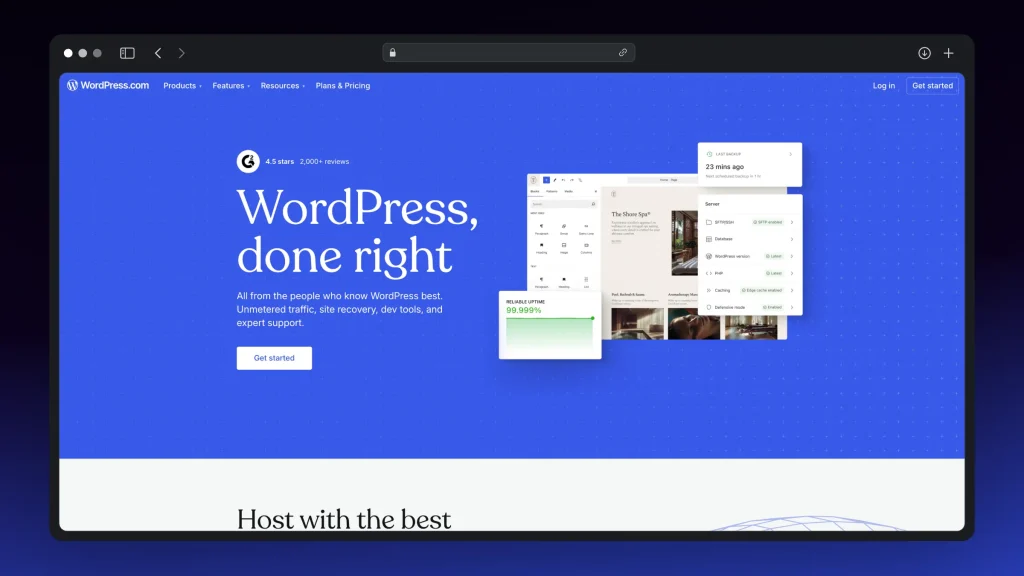
Traditionally speaking, WordPress isn’t a pure AI website builder…
But it’s still the most flexible option on this list.
AI tools move fast, and WordPress gives you total control. When I tested it alongside newer platforms, the difference was obvious – AI gets the first version live quickly, but WordPress lets you fine tune every detail exactly how you want.
With modern AI plugins and page builders, you can still generate layouts, rewrite sections, and build pages using prompts. It’s not as instant as Shipper or Relume, but the ecosystem makes up for it. Pretty much anything you want already exists as a plugin, theme, or integration.
If you want long term freedom instead of being locked into a single AI workflow, WordPress remains one of the safest choices.
Pros of WordPress
- Huge ecosystem with plugins and themes for everything.
- Works well with AI assistants and page builders.
- Great for long term, scalable sites.
- Full control over design and structure.
Cons of WordPress
- Higher learning curve than AI first tools.
- Requires setup and maintenance.
- Can feel overwhelming at first.
- Slower to get started compared to prompt based builders.
Great use cases for WordPress
Blogs, content sites, eCommerce stores, membership sites, client sites, and anything that benefits from full customization.
3. Replit

Replit isn’t a traditional AI website builder, but if you’re comfortable with code (or want to learn), it’s one of the most powerful tools you can use. When I tested it, the thing that stood out was how quickly it lets you go from an idea to real, production level code.
You’re not clicking through templates.
Instead, you’re working in an editor that feels alive.
Replit’s AI can generate files, fix errors, build full components, and refactor entire projects just from prompts. It’s closer to having a strong junior developer helping you than it is to a classic builder. The downside is that you’re still in a coding environment. If file trees or frameworks scare you, Replit might feel intense.
But if you like having control and you want AI that supports real development instead of hiding it, Replit is one of the best places to build.
Pros of Replit
- Extremely powerful AI code generation and editing.
- Great for learning real development while building.
- Fast previews and easy deploys.
- Perfect for people who like working directly in code.
Cons of Replit
- Not beginner friendly compared to visual tools.
- Requires comfort with file structures and frameworks.
- Can feel overwhelming if you prefer simple editors.
- Less “instant website” and more “AI assisted coding.”
Great use cases for Replit
Custom sites, complex logic, experimental apps, full stack web projects, and anything where you want AI to help build real code rather than generate templates.
If you don’t feel Replit’s for you, we have a list of alternative apps.
4. Relume
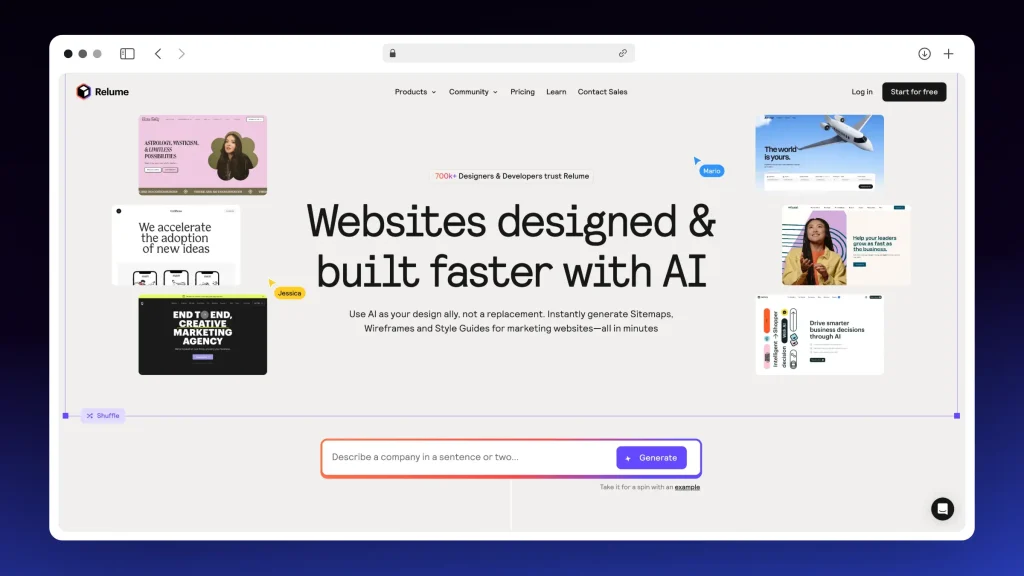
Relume is the tool I go to when I want a site that simply looks good without spending hours tweaking design.
Besides, it’s not trying to be a full app builder. It’s focused on one thing: generating beautiful, clean website layouts from a prompt. And it does that extremely well!
When I tested it, the best part was how quickly you get a complete site structure. Not just a homepage, but full page flows, section variations, and a visual map of how everything fits together. It feels like having a designer sketch your entire website in minutes, and then letting you export it straight into Webflow or keep editing inside Relume’s builder.
It’s not meant for complex apps or dashboards….
But if you’re building marketing sites, landing pages, or content driven projects, Relume gives you a head start that’s hard to beat.
Pros of Relume
- Stunning layout generation from simple prompts.
- Fast full site maps and page flows.
- Great export to Webflow and strong visual tools.
- Perfect for marketing and content focused sites.
Cons of Relume
- Not built for apps or complex logic.
- Needs Webflow (or similar) for full customization.
- Limited if you want dynamic dashboards or user accounts.
- More design focused than functionality focused.
Great use cases for Relume
Landing pages, marketing sites, portfolios, startup websites, or any project where design quality matters more than complex features.
5. Lovable

Lovable is one of the easiest tools to start with if you want to build a simple website or light app without getting overwhelmed. When I tried it, the thing that stood out was how approachable it felt. You describe what you want, and it gives you a clean, functional layout that you can keep shaping with short prompts.
It doesn’t try to guide your strategy or think ahead the way more advanced AI builders do. Instead, it keeps things calm and predictable. If you already have a clear idea of what the site should look like and you don’t need deep customization or business level suggestions, Lovable feels comfortable from the first minute.
It’s not the tool you choose for highly complex projects, but for straightforward builds, it’s surprisingly smooth.
Pros of Lovable
- Very beginner friendly, minimal learning curve.
- Generates clean layouts quickly.
- Simple prompt editing and visual adjustments.
- Great for early prototypes and lightweight sites.
Cons of Lovable
- Not very proactive with ideas or improvements.
- Limited flexibility for complex websites.
- You need to know what you want; it won’t lead you.
- Less power compared to advanced AI builders.
Great use cases for Lovable
Simple landing pages, prototypes, basic multi page sites, small tools, and any project where you just want to get something working without thinking too much about structure.
All Ai Website Builders Compared
| # | AI Website Builder | Score | Best For | Skill Level |
|---|---|---|---|---|
| 1 | Shipper | 4.9/5 | Full sites from one prompt | Beginner |
| 2 | WordPress | 4.7/5 | Maximum control & plugins | Intermediate |
| 3 | Replit | 4.6/5 | Coding with AI support | Advanced |
| 4 | Relume | 4.5/5 | Beautiful website layouts | Beginner |
| 5 | Lovable | 4.3/5 | Simple, fast prototypes | Beginner |
Picking Your Best AI Website Builder
After testing all of these tools, I realized there isn’t a single “best” choice – there’s just the one that fits how you like to build. Here’s how I’d narrow it down:
- If you want the easiest path from idea to something real = Shipper.
- If you want total control and the biggest ecosystem = WordPress.
- If you want real coding with AI helping you along the way = Replit.
- If you care mostly about clean, beautiful design = Relume.
- If you want a beginner friendly builder without overwhelm = Lovable.
There’s no wrong answer here.
The only mistake is waiting around for the “perfect” tool.
Pick the one that matches your comfort level, start building, and you’ll know within a day if it fits your workflow.
15 Best AI Prompts for App Website Building
(After Picking Your Tool)
These prompts are designed to give you a clean starting point no matter which builder you’re using. They’re simple enough for beginners, but specific enough that advanced tools won’t get confused or generate something random. The AI knows exactly what you want, and you don’t waste time rewriting the same idea five different ways.
Most builders work best when you give them structure, not paragraphs of vague ideas. Short, clear prompts like these help the AI map out your pages, build the right sections, and give you something solid to tweak rather than an empty layout.
Use them to kickstart your first build, test out a new tool, or spark ideas for websites you didn’t plan on making.
Top-Rated AI Website Builder
If you want the feeling of having a designer and developer by your side, Shipper is the closest thing I’ve found. You don’t need templates, plugins, or a perfect plan. You just write what you want and Shipper builds the structure, the layout, and the copy in a way that already feels like a real website.
What makes it different from other AI builders is how far it goes beyond the basics. It doesn’t just assemble sections. It helps you shape your idea, suggests better ways to tell your story, and sets up a site that looks like you spent days working on it instead of a few minutes.
If you’re the kind of person who has ideas but no patience for technical details, Shipper keeps things effortless. You prompt. It builds. You tweak visually. And you’re live.
Shipper is the tool I recommend when someone wants to move fast without giving up quality.
#1 AI Website Builder
If you want a website that feels like a real product — not just a template — Shipper is the closest thing to having a designer and developer working with you. Describe your idea once and watch the whole structure take shape.
- 1. Write your idea
- 2. AI builds the site
- 3. Tweak visually
- 4. Publish instantly
FAQ: AI Website Builders
1. Are there any good AI website builders?
Yes, and a few of them are genuinely impressive.
Tools like Shipper, Relume, Lovable, WordPress (with AI plugins), and even Replit (for code heavy sites) can build real websites faster than most people expect. They’re not perfect, but they’re absolutely good enough to get a polished site live without touching code.
2. Can ChatGPT build a webpage?
Short answer – yes, but not a complete website.
ChatGPT can generate full HTML, CSS, and JavaScript, and it can walk you through every step of building a webpage. The part it doesn’t do is host or publish the site for you. If you want a finished site online, you’ll still need a website builder or a hosting platform to actually deploy what ChatGPT creates.
3. Can AI design a full website?
Yes, easily. Modern AI builders can generate full page flows, hero sections, pricing tables, blog layouts, contact pages, and more – often from a single prompt. Some tools even create entire multi page sites at once. The design is usually clean right out of the box, and you can refine everything with short follow up prompts.
4. Which AI tool is best for website design
It depends on what you want. Shipper is best if you want a complete site with structure and copy from one prompt. Relume is best if you want beautiful layouts and fast site maps. WordPress is best if you want unlimited customization. Lovable is great for simple sites. Replit is best if you prefer coding with AI help.
Different strengths, different workflows.
The “best” tool is the one that matches your comfort level.
Earn 50% + lifetime recurring commissions
Share Shipper with your audience and get paid every month, for life.
Earn 50% + lifetime recurring on every sale
Share Shipper with your audience and get paid every month, for life — no cap on earnings.
Earn 50% + lifetime recurring on every sale
Share Shipper with your audience and get paid every month, for life — no cap on earnings.


