
Bolt vs V0 Comparison: What’s Better in 2026?


If you’re trying to decide between Bolt and v0, you’re not alone. I’ve spent a lot of time inside both tools, and they’ve quickly become two of the most talked-about AI builders for turning ideas into working software.
Bolt is known for its “drop into a coding flow instantly” experience, while v0 focuses on letting you generate real, production-ready interfaces and edit them visually. They both shine in different ways, and depending on what you’re trying to build, one can be a noticeably better fit than the other.
In this Bolt vs v0 breakdown, I’ll walk you through what actually matters, not just features on paper, but how they feel when you’re trying to build something real.
Here’s what you’ll find in this comparison:
- A simple, side-by-side feature breakdown
- A pricing comparison you can skim in seconds
- Clear recommendations based on what you’re trying to build
Excitingly, I’d also like to introduce another similar tool that is a better choice: Shipper (trust me, it’s worth considering). It not only matches what Bolt and v0 offer but often beats them on features, ease of use, and cost.
TL;DR: A Quick Comparison of Bolt, v0, and Shipper (My Summary)
If you’re short on time, here’s a quick overview of how Bolt, v0, and Shipper stack up. We’ll dig into details further down. You’ll get a clear sense of where each tool shines, where they stumble, and why Shipper might be the smarter “third-option” for many.
| Feature |

|

|

|
Winner |
|---|---|---|---|---|
| Best for | AI IDE for devs | React UI builders | Full apps from 1 prompt | Depends on you |
| Ease of use | Bolt, Shipper | |||
| Setup complexity | Shipper | |||
| Technical knowledge needed | Shipper | |||
| Build speed | Shipper | |||
| Visual editing | v0, Shipper | |||
| Backend coverage | Bolt, Shipper | |||
| Version control / rollbacks | All | |||
| Team collaboration | Bolt, v0 | |||
| AI assistance depth | All | |||
| AI bug fixing | v0, Shipper | |||
| AI “advisor” / strategy | Shipper | |||
| Pricing | $25/mo | $20/mo | $25/mo | v0 |
The intersection of Bolt and v0… is Shipper 🙂
Shipper sits right where full-stack dev meets UI-generation ease. Describe your idea once, and get a complete app that you can edit, refine, and launch — all in one place.
- • AI builds full app (frontend + backend)
- • Visual editor + prompt edits
- • AI Advisor guides what to build next
- • Go live with one click
Overview of Bolt and v0
What is Bolt?
Bolt is an AI-powered development environment that runs entirely in the browser. It’s designed to take a single prompt and turn it into a functioning full-stack application, complete with frontend, backend, file structure, and deployment support. Developers often use it to move fast without setting up local environments or tools.
Bolt feels like a coding workflow you can jump into instantly. You describe what you want, and Bolt scaffolds the project, writes code, and lets you iterate with full control. Everything happens inside a clean, VS Code–style interface that keeps you close to the code while still giving you AI speed.
It’s especially popular among builders who want to ship small projects fast or test ideas without deep infrastructure setup. Bolt handles the heavy lifting, and you refine the details.
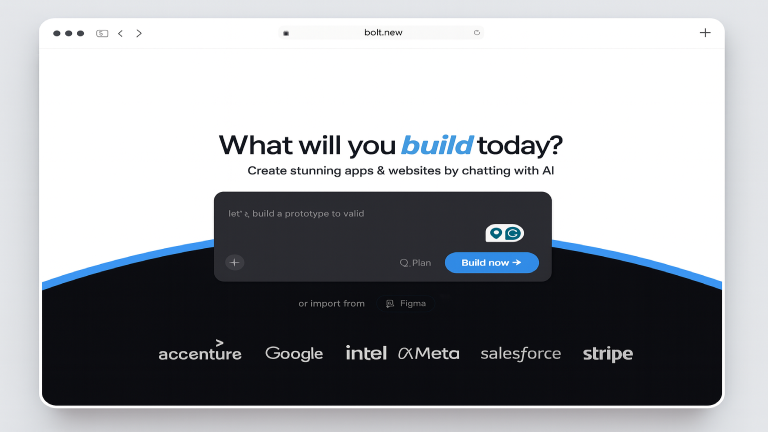
Bolt is best known for…
- Full-stack generation: Bolt builds both frontend and backend in seconds, giving you a working codebase from the start.
- Browser-based development: No installations, no environment setup, you code directly in your browser.
- AI-assisted iteration: Bolt refactors, extends features, and fixes issues through conversational prompts.
- Instant preview and deployment: Changes appear fast, and you can deploy without leaving the platform.
- Code-first editing: Everything generated is editable as real code, not an abstract layer.
Why you might prefer Bolt over v0:
Bolt is the better choice if you want AI speed while still staying close to the code. It handles more backend logic than v0 and gives you a true full-stack environment instead of focusing mainly on UI. Developers who want to move fast but still control every file tend to prefer Bolt.
Shipper, on the other hand, goes even further by handling the entire product, frontend, backend, hosting, pages, logic, and feature planning, all without requiring you to manage a code editor. It’s better suited for founders and teams who want to build a complete product without juggling a technical stack.
(You can read more related articles on Bolt alternatives)
What is v0?
v0 is an AI-powered UI builder from Vercel that generates polished React components and layouts from simple natural-language prompts. Instead of writing code manually, you describe the interface and v0 produces clean React that can be edited visually or exported into your own project.
It’s heavily used by frontend developers who want fast UI scaffolding without designing from scratch. v0 outputs production-ready components based on shadcn/ui, keeping everything visually consistent and customizable.
Because v0 connects directly with Vercel’s ecosystem, it fits well into modern React development workflows, especially teams already using Next.js.
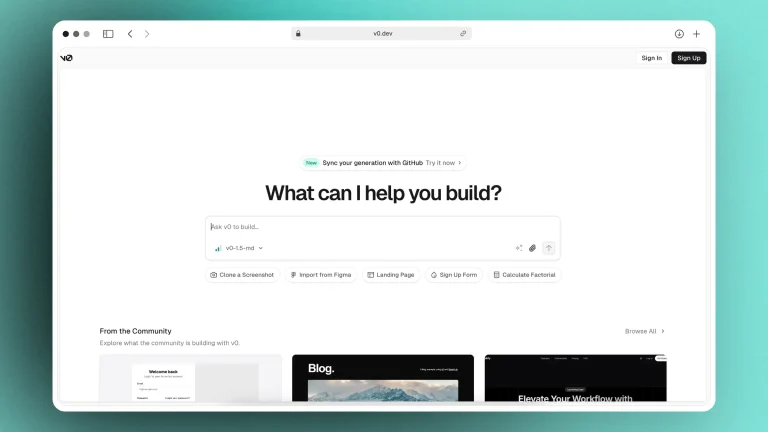
v0 is best known for…
- Prompt-to-UI generation – High-quality React components based on shadcn/ui.
- Visual editor – Edit spacing, structure, and styling without touching code.
- Easy export to Next.js apps – Clean code ready to paste into your existing project.
- Fast prototyping – Helps teams move from idea → UI in minutes.
- Vercel integration – Smooth workflow for teams building in the Vercel/Next.js ecosystem.
Why you might prefer v0 over Bolt:
v0 is ideal if your main priority is generating beautiful interfaces rather than full-stack logic. Designers, frontend developers, and product teams who want to create screens quickly often prefer v0. Bolt handles backend logic better, but v0 produces higher-fidelity UI components and integrates more naturally with React projects.
Shipper goes beyond both by generating the complete product: UI, backend, logic, pages, authentication, and hosting, and then letting you edit everything visually. It removes the need for React knowledge entirely, making it easier for non-technical founders to launch real products.
(You can read more related articles on v0 alternatives)
What Bolt & V0 are best for
- Bolt is best for developers who want a fast, full-stack coding workflow in the browser. It gives you the entire codebase and lets you iterate quickly using AI.
- v0 is best for teams that want beautiful interfaces fast and prefer React-ready components they can plug into an existing app.
- Shipper is best for founders and teams who want to go from idea → full product, with backend, UI, pages, and hosting handled automatically.
Side-by-side summary
| Use Case | Bolt | v0 | Shipper |
|---|---|---|---|
| Full-stack generation | ⭐ Strong | ⚪ Limited | ⭐⭐ Complete |
| UI generation | ⭐ Good | ⭐⭐ Excellent | ⭐⭐ Excellent (visual builder) |
| Best for beginners | ⚪ Harder | ⭐ Easier | ⭐⭐ Easiest |
Relevant comparisons
Difference between Bolt and v0
- Bolt focuses on generating complete applications, frontend, backend, file structure, and logic. It’s closer to a coding environment, making it ideal for developers who want AI help but still want full control over the source code.
- v0 focuses on UI generation. It’s about crafting polished React interfaces quickly, editing them visually, and exporting the code into your existing Next.js project. It doesn’t aim to replace a full-stack development environment; it strengthens the UI layer.
- Shipper is different from both. Unlike Bolt and v0, Shipper is built for people who want the entire product made in one place: UI, backend, logic, database, hosting, and the roadmap for what to build next. It bridges the gap between speed and completeness, making it easier to launch real businesses, not just prototypes.
Price Comparison: Bolt vs v0
If you’re just comparing prices, here’s the short version: Bolt and v0 both start with generous free tiers, then move into fairly affordable creator plans. Shipper sits slightly above them on price, but gives you a full app builder instead of just code or UI generation.
The table below puts the key plans side by side so you can see where each one lands on cost and who each plan is really for.
Bolt pricing highlights
- Free – $0/month: Basic usage for individuals: public and private projects, a capped daily/monthly token allowance, hosting for simple sites, and access to Bolt’s AI agent inside the browser IDE.
- Pro – $25/month: Higher token limits, no daily cap, no Bolt branding on your sites, more generous web-request quotas, and expanded database capacity for serious solo builders.
- Teams – $30/month per member: Everything in Pro, plus centralized billing, team-level access management, and controls better suited to small engineering teams.
- Enterprise – custom pricing: Advanced security, compliance, SSO/SCIM, dedicated support and tailored limits for larger organizations.
Bolt’s pricing is straightforward if you’re thinking like a dev team: you pay for an all-in-one AI IDE plus generous usage limits. The jump from Free to Pro is where it starts to feel production-ready; Teams and Enterprise layer on collaboration and governance.
If you like living in a full browser IDE and are comfortable wiring your own backend and deployments, Bolt’s Pro or Teams plan is good value. But remember: you’re still responsible for stitching together frontend, backend, and hosting. Shipper costs a similar amount at Pro level, but jumps straight to “describe the product, get a live full-stack app” instead of just code.
v0 pricing highlights
- Free – $0/month: Includes a small pool of monthly credits so you can try prompt-to-UI generation, sync with GitHub, and deploy simple projects to Vercel.
- Premium – $20/month: Unlocks more monthly credits, higher generation limits, and extra features like Figma import, larger file sizes, and more generous usage.
- Team – $30/user/month: Adds shared workspaces, pooled credits, and collaboration features for small frontend teams using Vercel in production.
- Business – $100/user/month: Designed for larger companies that need higher limits, advanced controls, and more support.
- Enterprise – custom: Customized quotas, SAML/SSO, priority queues, and tailored support for big teams running mission-critical frontends on Vercel.
On top of the app plans, v0 also has separate API pricing for its models (v0-1.5-md, v0-1.5-lg, etc.), so if you’re calling their models directly you’ll pay on a per-token basis as well.
Overall, v0 is cheaper than Bolt at the first paid tier and very attractive if all you need is fast React UI generation tied into Vercel hosting. The trade-off is that you’re still building and wiring business logic, data, and flows manually. Shipper sits slightly higher in price than v0’s Premium plan, but replaces the “just UI” approach with full product generation: UI, backend, workflows, and hosting from one place.
The intersection of Bolt and v0… is Shipper 🙂
Shipper sits right where full-stack dev meets UI-generation ease. Describe your idea once, and get a complete app that you can edit, refine, and launch — all in one place.
- • AI builds full app (frontend + backend)
- • Visual editor + prompt edits
- • AI Advisor guides what to build next
- • Go live with one click
Features Comparison: Bolt vs v0
When you’re choosing an AI development tool, the real difference comes down to how each one handles the features that matter when you’re actually trying to build something. In this section, we break down the core features that affect your workflow day to day and show where Bolt, v0, and Shipper each fit in.
These comparisons are designed to be practical, clear, and skimmable, so you can quickly see which tool matches your background, your workflow, and the type of product you want to build.
1. Setup complexity
Setting up a project can either feel effortless or become the first major roadblock. Setup complexity looks at how much work it takes to go from “I have an idea” to “I’m inside a real project I can edit.” Some tools require repos, CLIs, and environments. Others simplify everything so you can get started immediately.
1.1. Bolt’s setup complexity
Bolt keeps setup surprisingly minimal for a developer-first environment.
Good things:
- Fully browser based IDE
- No CLI installation
- No local environment configuration
- Instant project structure on generation
However:
- You still need to understand files, routing, backend logic
- Some knowledge of frameworks like Next.js is expected
Bolt is simple to start, but remains designed for technical users.
1.2. v0’s setup complexity
v0 also offers a smooth start, especially if you’re inside the Vercel ecosystem.
What’s simple:
- Sign in with GitHub or Vercel
- Start generating UI immediately
- No manual project scaffolding
Where setup increases:
- Exporting UI requires GitHub repo setup
- Deployment requires Vercel configuration
- Integrating backend code takes extra steps
Great for UI generation, slightly more involved when moving to a full app.
1.3. Shipper’s setup complexity
Shipper minimizes setup to the absolute minimum.
Truly simple:
- Sign up
- Describe the app you want
- Shipper generates UI + backend + logic instantly
- No CLI, no repo linking, no framework setup
It removes every barrier for founders, not just developers.
1.4. Who does setup complexity better?
Bolt and v0 are both easy for technical users, but Shipper is the only tool that requires zero setup and produces a complete, functioning product immediately. This makes it the simplest path for fast idea to live app execution.
Winner: Shipper. It gets you from idea to running project with the fewest steps.
2. Technicality
Technicality measures how much coding knowledge, design skill, or framework understanding you need to use the tool effectively. Some tools assume you’re a developer. Others are more accessible for beginners.
2.1. Bolt’s technicality
Bolt is heavily code driven.
What this means:
- You work directly with real files
- Requires knowledge of frameworks like Next.js or Express
- You make architectural decisions
- Ideal for developers who want full control
For non technical founders, Bolt can feel overwhelming.
2.2. v0’s technicality
v0 is less intimidating than Bolt, but still expects some technical background.
You’ll need to understand:
- React
- Component structure
- How to export code into an existing project
- How to connect backend logic afterward
Great for frontend developers. Challenging for non technical users once they move beyond UI generation.
2.3. Shipper’s technicality
Shipper eliminates nearly all technical overhead.
You don’t need to know:
- React
- Backend frameworks
- Design systems
- Database configuration
The AI Advisor explains decisions, guides next steps, and handles structure automatically. You can build without touching code at all.
2.4. Who handles technicality better?
Shipper is the most accessible for non technical builders. But Bolt provides the best experience for users who want full coding control and prefer a traditional IDE inside the browser.
Winner: Bolt. It gives developers the deepest technical control and flexibility.
3. Version control
Version control matters when you want to experiment, undo mistakes, or safely explore new ideas. It decides how easy it is to revert or restore your project.
3.1. Bolt’s version control
Bolt relies on external versioning.
What this looks like:
- Connect GitHub
- Commit changes manually
- Handle branching
- Rollbacks use Git operations
Powerful, but technical.
3.2. v0’s version control
v0 follows the same Git driven approach.
Meaning:
- UI exports directly into GitHub
- Reverts happen through Git
- Branching and merges are manual
- Strong for developers, less so for beginners
Both tools leave versioning to GitHub.
3.3. Shipper’s version control
Shipper introduces visual, built in rollback.
You get:
- One click version restore
- Automatic major version snapshots
- No GitHub required
- Safe sandboxing for experiments
This makes versioning accessible to anyone.
3.4. Who does version control better?
Shipper offers the simplest versioning experience. But developers looking for full control still get the most power with Bolt and v0, since Git workflows remain the industry standard.
Winner: Bolt and v0. Best for developers using Git based versioning.
4. AI assistance and proactiveness
AI tools differ in how proactive they are. Some wait for instructions. Others guide product direction, fix issues, and support your decisions as you build.
4.1. Bolt’s AI assistance
Bolt’s agent is strong for developers.
It can:
- Generate full projects
- Refactor code
- Scaffold backend
- Fix logic
But:
- It is reactive, not proactive
- Provides no strategic guidance
A powerful coding assistant, but not a product partner.
4.2. v0’s AI assistance
v0 excels at UI assistance.
It shines at:
- Turning prompts into UI
- Improving component layouts
- Producing clean React code
However:
- No product-level guidance
- No flow suggestions
- No help with business logic or onboarding
Great for component generation. Limited beyond that.
4.3. Shipper’s AI assistance
Shipper uses The Advisor, which behaves like a smart co founder.
It helps with:
- Product direction
- What to build next
- UX flows
- Marketing text
- Backend and frontend
- Catching issues proactively
It is not just an AI developer. It is a strategic partner.
4.4. Who does AI assistance better?
Bolt remains the strongest for code focused AI. v0 leads in UI specific intelligence. Shipper stands out only when you want product level guidance. For pure development depth, Bolt takes the lead.
Winner: Bolt. Best coding focused AI assistance.
5. Customer support
Support becomes essential the moment something breaks. Response speed, channel quality, and problem solving depth matter a lot here.
5.1. Bolt’s support
Bolt offers standard technical support:
- Documentation
- Community Discord
- Email support with priority for paid users
- No live chat for regular users
- No guaranteed response times
Solid for technical users, but not ideal for beginners.
5.2. v0’s support
v0 benefits from Vercel’s polished ecosystem.
You get:
- Extensive documentation
- Live chat even for free plans
- Ticket support for paid tiers
- Active community
- Fast replies for premium users
Great real time help.
5.3. Shipper’s support
Shipper focuses on guiding non technical founders.
Support options include:
- Live support for paid users
- Fast email responses
- Discord community
- Subreddit
- Help center
- AI Advisor for immediate product fixes
It is designed to feel hands on and personal.
5.4. Who does customer support better?
Bolt has decent support and v0 offers strong chat based help. Shipper provides the most proactive and founder friendly experience overall.
Winner: Shipper. Fastest and most helpful support for non technical builders.
This tool takes the best out of Bolt & v0
Bolt and v0 both do impressive things. Bolt feels like a developer-grade AI coding cockpit, while v0 shines when you want clean React interfaces from a simple prompt. But once you try to go from “nice UI” or “smart agent” to a real, shipped product, you start stitching tools together, reading docs, and managing yet another stack decision.
That’s where Shipper fits differently. It takes the best ideas behind Bolt and v0: AI-assisted building, fast feedback, modern UI, and wraps them into a single place where you describe what you want and get a working product, not just code fragments or components. Especially if you’re not a full-time engineer, Shipper smooths out the parts where the other two can feel intimidating or fragmented.
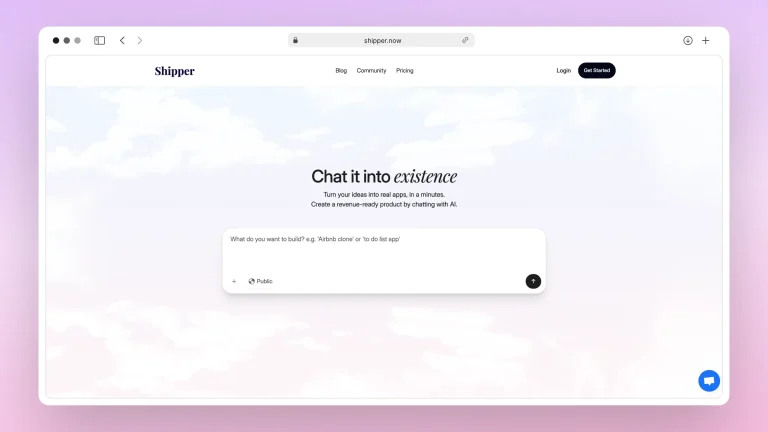
Under the hood, Shipper is built to cover the gaps:
- Build full apps from one prompt – frontend, backend, workflows, and database structure generated together.
- No-code, but not limited – you can stay in natural language, or go deeper and refine with more technical prompts.
- The Advisor as a co-founder – proactive AI guidance on product ideas, flows, growth, and even monetization.
- Instant hosting and live preview – see desktop, tablet, and mobile layouts without deploying to yet another platform.
- Beginner-friendly support – docs, community, and human help tailored to founders and operators, not just engineers.
If Bolt or v0 already sit in your toolbox, Shipper doesn’t replace your skills; it amplifies them. But if you’re starting from scratch and just want to get something live without juggling infra, repos, and design systems, giving Shipper a try is often the simpler, faster bet.
The Verdict: What’s Better, Bolt or v0?
After spending time with both tools, I see them as two different answers to the same question: “How do I build faster with AI?” Bolt leans into full-stack development with an AI partner sitting inside a powerful browser IDE. v0, on the other hand, feels like a turbo-charged UI generator for React developers who want polished components without wrestling Tailwind from scratch.
If I’m in “engineer mode” and I want to live inside an editor, Bolt makes a lot of sense. I can spin up projects, get intelligent code suggestions, and stay close to the underlying stack. It’s ideal when I care about how everything works under the hood, and I’m comfortable owning the complexity.
When I just need interfaces, dashboards, landing pages, forms, marketing screens, v0 is hard to beat. I describe the UI, get JSX back, and plug it into my existing codebase. It’s focused, fast, and very friendly if I already live in the Vercel / React ecosystem.
But if I zoom out from “tool” to “outcome,” both Bolt and v0 still expect me to do a lot of stitching. I’m the one wiring APIs, managing state, choosing auth, setting up databases, and figuring out pricing, users, and growth on my own. That’s where Shipper starts to look different: it’s not just helping with code or components, it’s helping me ship a complete product from the first prompt.
With Shipper, I can act more like a founder than a full-time engineer. I describe the product, The Advisor shapes it into an app with logic and data, and I’m already looking at a hosted version I can share, test, or charge for. When something breaks, I ask the AI to fix it. When I want to iterate, I talk to it like a teammate instead of re-architecting everything by hand.
So if you’re deeply technical and want fine-grained control, you’ll probably be happiest pairing Bolt or v0 with your existing stack. But if your real goal is to go from idea → working product without juggling five tools and a Git repo, Shipper quietly becomes the obvious answer. It borrows the best parts of Bolt and v0 and then goes one step further: it actually helps you launch.
The intersection of Bolt and v0… is Shipper 🙂
Shipper sits right where full-stack dev meets UI-generation ease. Describe your idea once, and get a complete app that you can edit, refine, and launch — all in one place.
- • AI builds full app (frontend + backend)
- • Visual editor + prompt edits
- • AI Advisor guides what to build next
- • Go live with one click
FAQ: Bolt vs v0
1. Is Bolt or v0 cheaper?
Both tools offer free plans, but their pricing models differ. Bolt uses a more traditional subscription model starting at $25/month, while v0 starts at $20/month with additional usage-based costs depending on your workflow.
If you’re budget-sensitive, v0 is slightly cheaper at the entry tier, but Bolt can feel more predictable long-term.
For an even simpler pricing structure, Shipper’s credits-based model + transparent Pro plan often makes it easier to know exactly what you’ll spend.
2. Which is easier for beginners, Bolt or v0?
v0 is more beginner-friendly because it accepts natural-language prompts and doesn’t require coding knowledge. Bolt is powerful too, but it still leans toward users who understand developer workflows.
If you need to avoid complexity entirely, Shipper is built for non-technical founders: no coding, no setup, and The Advisor handles everything for you.
3. How are Bolt and v0 different in how they build apps?
The biggest difference is in where the AI sits:
- Bolt uses WebContainer to run everything inside the browser, making it fast and very close to a real dev environment.
- v0 is a conversational AI that generates components, flows, pages, and even full-stack apps using Vercel’s infrastructure.
But neither gives you a fully unified experience (coding + visual editing + deployment guidance).
That’s why Shipper combines both worlds: AI that codes, visual editing, AI guidance, and instant deployment.
4. Do Bolt or v0 support visual editing?
v0 supports editing inside the UI with a design mode and component-level updates. Bolt provides live updates inside its WebContainer environment, but still feels more code-first.
If you want a true visual editor that is AI-first rather than code-first, Shipper’s visual editor + Advisor gives you the most intuitive flow.
Earn 50% + lifetime recurring commissions
Share Shipper with your audience and get paid every month, for life.
Earn 50% + lifetime recurring on every sale
Share Shipper with your audience and get paid every month, for life — no cap on earnings.
Earn 50% + lifetime recurring on every sale
Share Shipper with your audience and get paid every month, for life — no cap on earnings.






